What is OAuth ?
OAuth is an open standard for access delegation, commonly used as a way to grant websites or applications limited access to user information without exposing passwords.
OAuth 2.0 is the industry-standard protocol for authorization.
Rate limiting restricts how many requests a client can make in a given time window. A client can call /api/login only 5 times per minute.Rate limiting can be used for managing the flow of incoming requests to an application.
Implementing rate limiting in an ASP.NET Core app can help maintain stability, security, and performance, ensuring a reliable and efficient service for all users.
Why we need Rate Limiting ?
For securing and preventing frequent access of our applications resources we have to use Rate Limiting and it is a very efficient way to implement in api developments. Below are the few reasons , for that we need to use Rate Limiters in our API's.
- Brute-force login attempts
- API scraping
- DDoS Attacks
- Accidental traffic spikes
- Unfair consumption of Resources
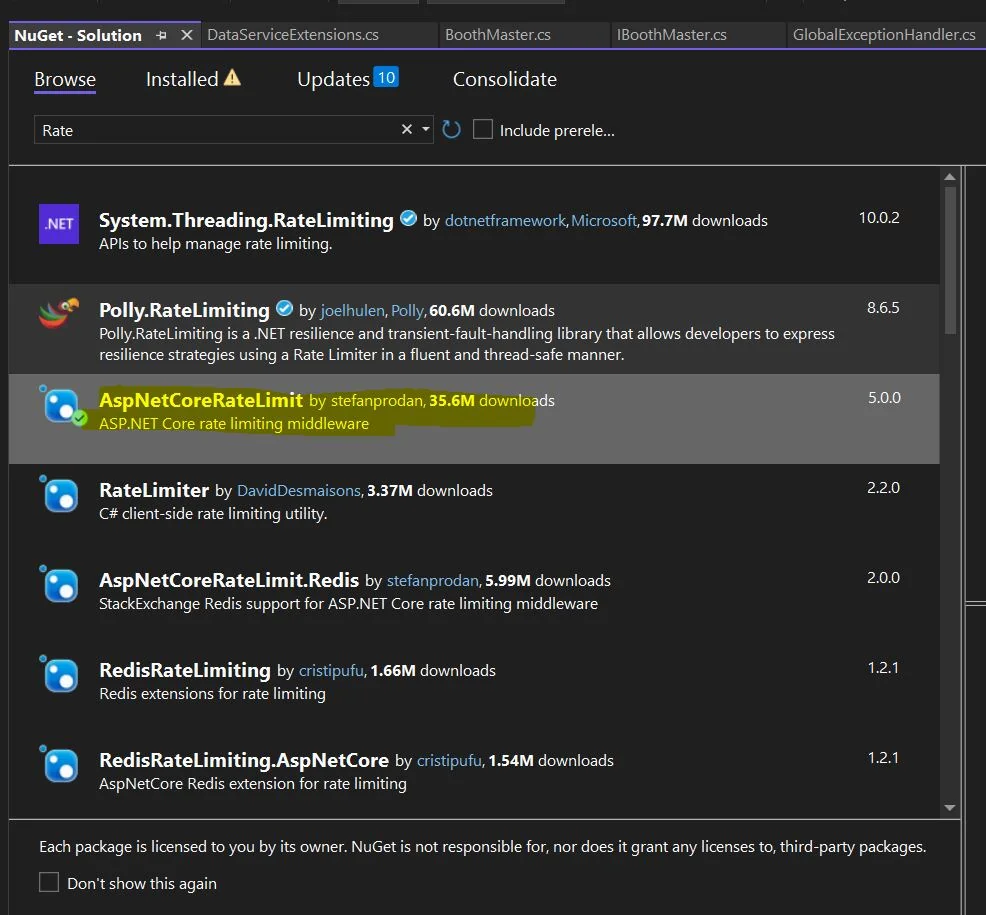
Install the AspNetCoreRateLimit package from nuget package manager as shown in below image.
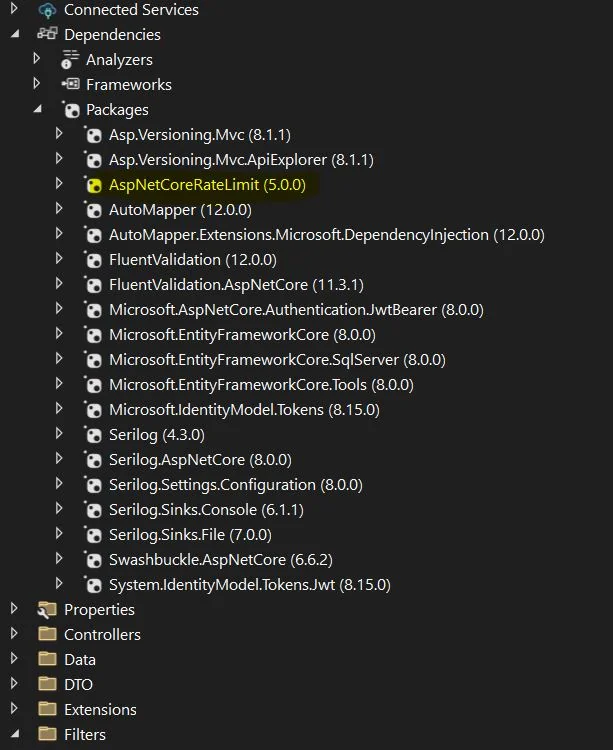
After installing the packages your solution explorer will be looks like as below image.
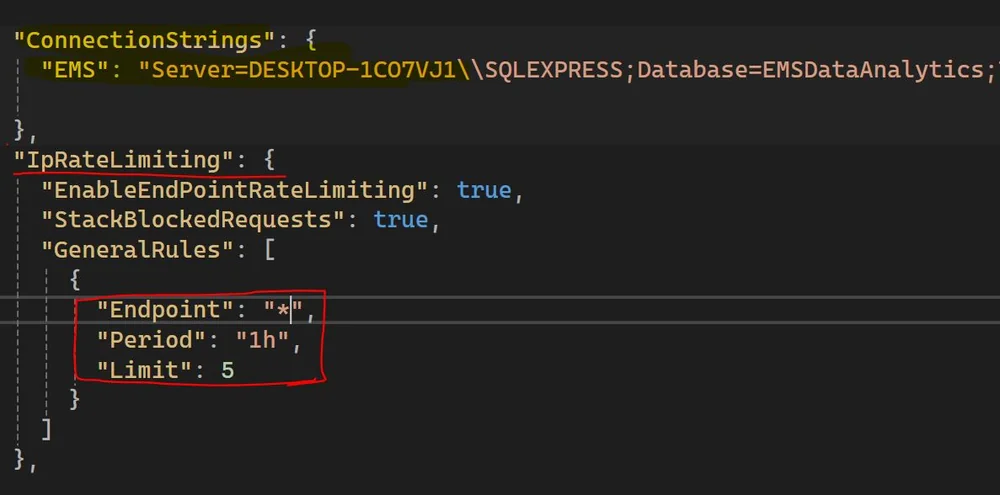
Now add IpRateLimiting Configuration details in appsettings.json file as shown in below code and image.
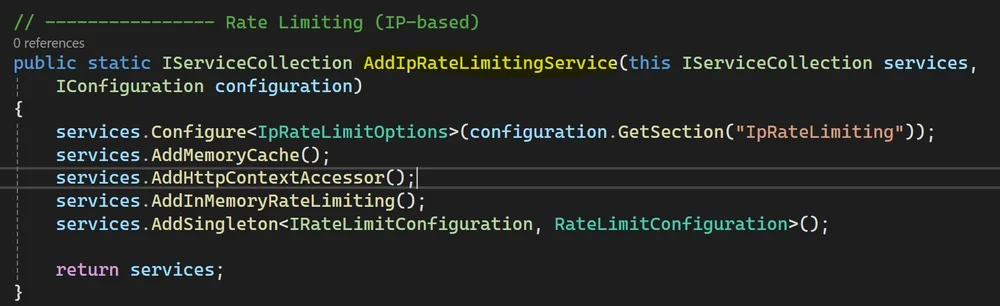
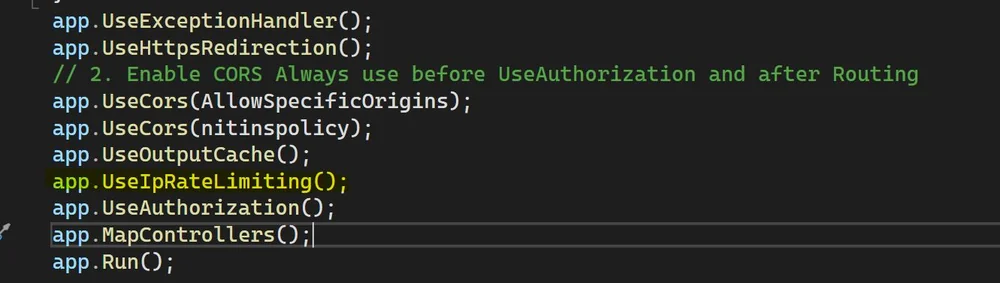
Now add AddIpRateLimitingService and MiddileLayers into Program.cs file as shown in below code and image.
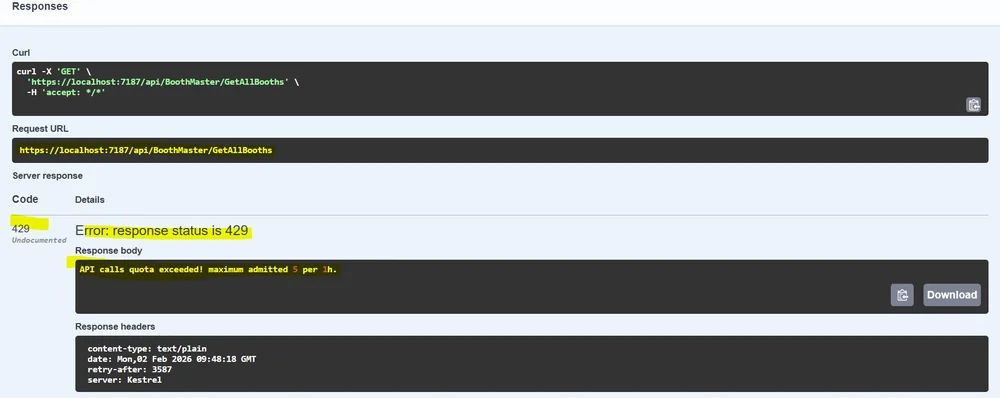
Now run the API and hit one of the End Points more than 5 times , it will return a response code 429 with default message "API Calls Quota exceeded!Maximum attempted 5 per 1h". In the below image you can see the output response from API called more than 5 times, this is the default response message we can customised the response message based on our requirements.
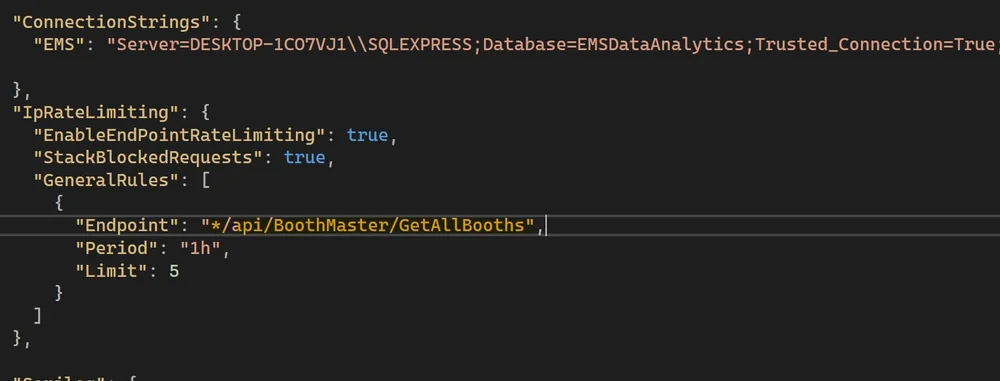
In the above result , maximum limit is set for all the resourses/endpoints , if you want to set restriction limit on specific endpoints then you need to configure that end points in appsettings.json file as you can see in below image. If you want to set on "/api/BoothMaster/GetAllBooths" this endpoint then our appsettings.json file looks like