- Model or Input validation in ASP.Net Core
- Basics of ASP.Net Core
- Caching in ASP.Net Core
- Rate Limiting in API
- Google OAuth Authorization
- Nunit Test for Model Validation
- Serilog in Web API to Store Logs
- Web API Crud using Stored Procedures
- Auto Mapper in ASP.Net Core
- Crud on Bulk Data
- Import Data Excel to DB
- Export Data in Excel
- ViewBag in MVC Core
- ViewData in MVC Core
- Service Lifetime in MVC Core
- LINQ Queries
- JWT Token in ASP Core
- ViewModel in MVC
- Custom Middleware
- Global Exception Handling using Custom Middileware
- Exception Filter
- Dropdownlist in ASP Core
- Authentication in MVC
- MVC Crud with ADO
- Paging in MVC
- Cascading Dropdown
- First React Project
- Hooks in React
- React Crud with API Core
- Save Image in DB
- MVC Core Charts
- State Management
- Session in ASP Core
- Design Patterns
- Singleton Pattern
- Dependency Injection
- Keyed Services Dependency Injection
- Repository Pattern
- Factory Pattern
Global Exception Filter in ASP.NET Core application
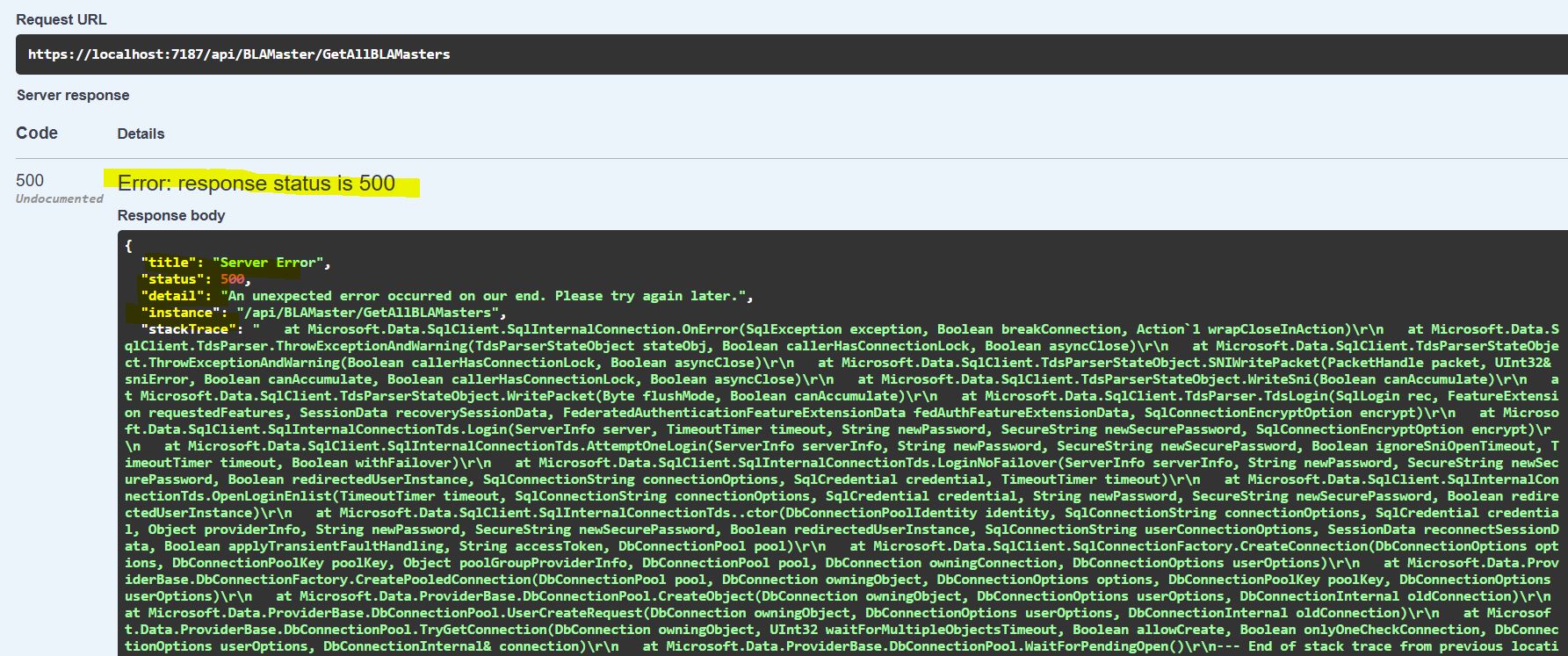
Problem Defination :- We have a requirement in which we need to Handle an exception thrown by an application in ASP .Net Core . For example while implementing any functionality in application if developer forgot the write the code for exception handling then you will get an exception on production also that it not a good practice so here we are writting one global exception filter for handling the global exception from code.
In ASP.Net core we can handle exception in many ways but in this article I am going to explain it by an Global Exception Filter to handle the exception using IExecptionHandler Interface. Below is the step by step process explain in details so that you can follow it and create a Web API project so that we can learn the exception handling in asp.net core.
Create a Web API Project using Microsoft Visual Studio
Select Project Type ASP.Net Core Web API and click on OK the you should be able to see below image for solution explorer.
Your Solution explorer looks like as in image
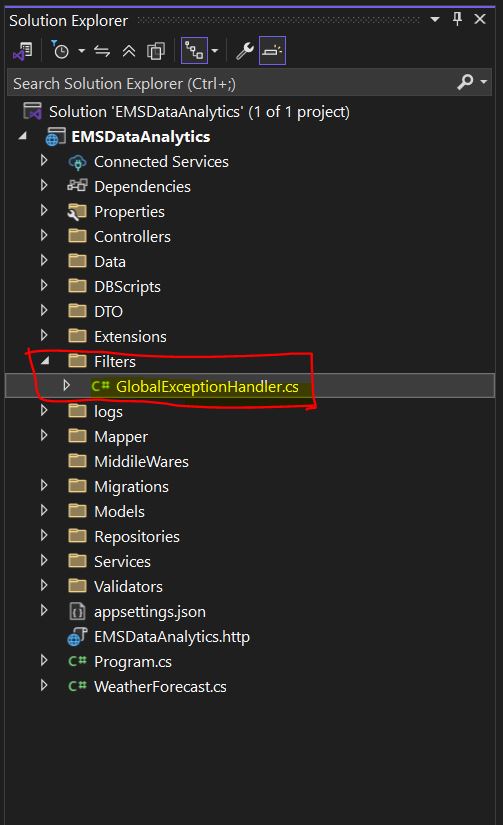
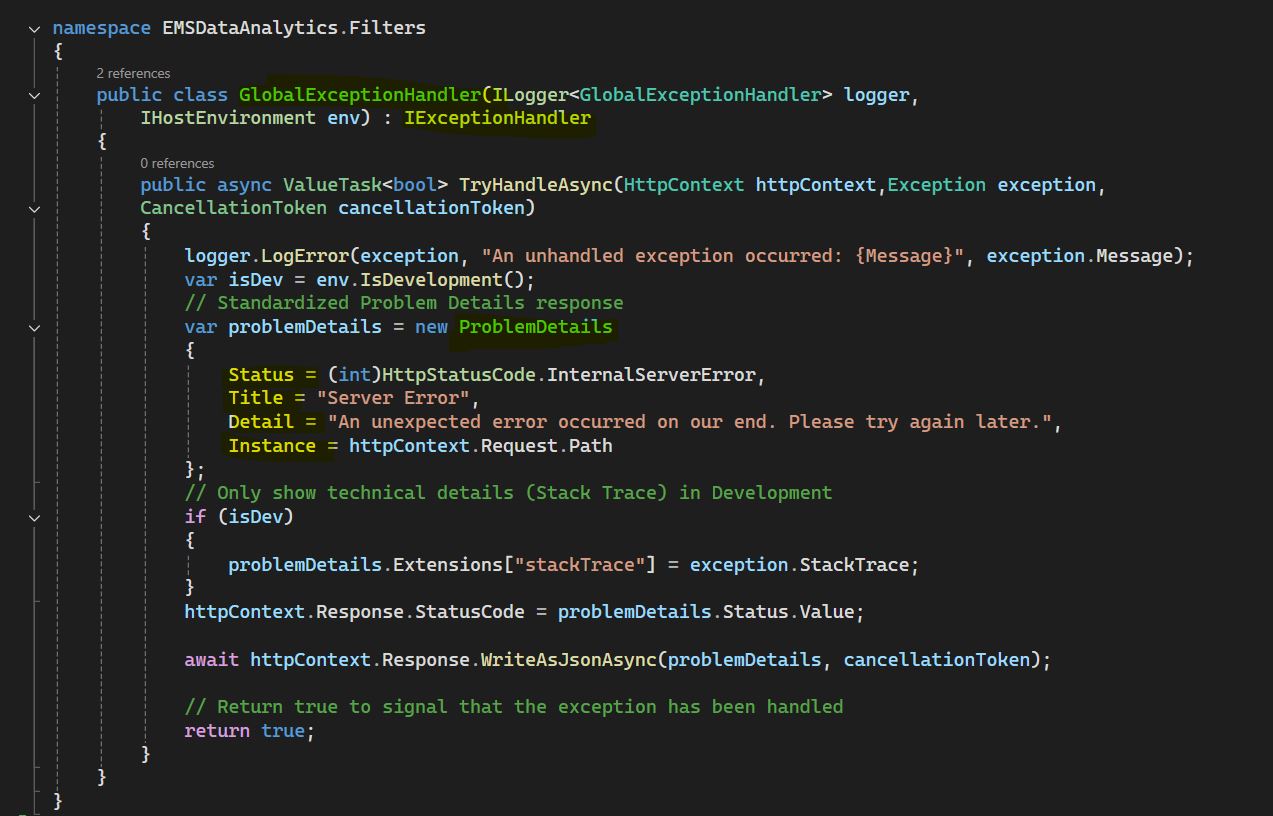
Create a one folder into solution explorer and create a Class and named it GlobalExceptionHandler and inherit this Class from IExceptionHandler Interface and provides implementation for TryHandleAsync into this Class as you can see in below image.
  public class GlobalExceptionHandler(ILogger logger,
        IHostEnvironment env) : IExceptionHandler
    {
        public async ValueTask TryHandleAsync(HttpContext httpContext,Exception exception,
        CancellationToken cancellationToken)
        {
            logger.LogError(exception, "An unhandled exception occurred: {Message}", exception.Message);
            var isDev = env.IsDevelopment();
            // Standardized Problem Details response
            var problemDetails = new ProblemDetails
            {
                Status = (int)HttpStatusCode.InternalServerError,
                Title = "Server Error",
                Detail = "An unexpected error occurred on our end. Please try again later.",
                Instance = httpContext.Request.Path
            };
            // Only show technical details (Stack Trace) in Development
            if (isDev)
            {
                problemDetails.Extensions["stackTrace"] = exception.StackTrace;
            }
            httpContext.Response.StatusCode = problemDetails.Status.Value;

            await httpContext.Response.WriteAsJsonAsync(problemDetails, cancellationToken);

            // Return true to signal that the exception has been handled
            return true;
        }
    }
In the above code , I have written one Class GlobalExceptionHandler and provides two parameters ILogger and IHostEnvironment into the constructor of GlobalExceptionHandler Class and inherit this class from IExceptionHandler interface with one of the methods implementation that method name is TryHandleAsync accepting three parameters first one is HttpContext object , second one is Exception class object and third one is CancellationToken.
Inside the method we define ProblemDetails to create one object for ProblemDetails and set the Status code and other meaning ful message for end users. In the response we are writting the universal message for all the Global exceptions occured into the application.
After creating the Global exception filter , now we have to register that filter into Program.cs file like as below image.
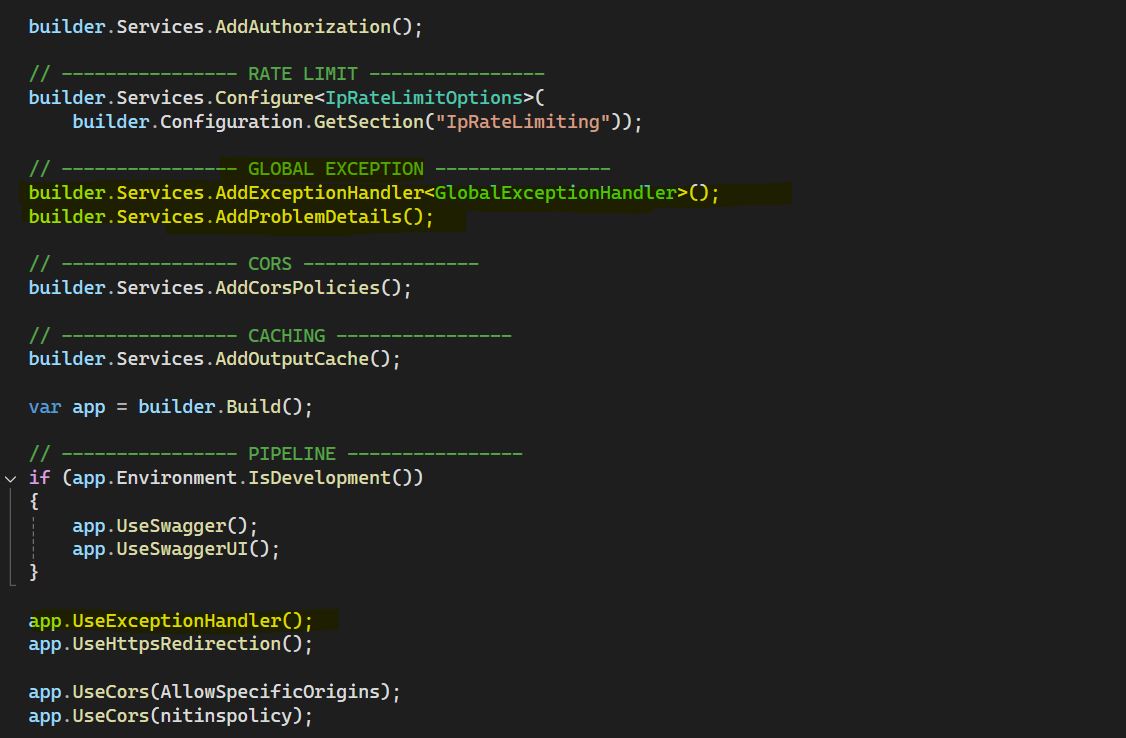
Attached code for Program.cs file
  builder.Services.AddExceptionHandler();
builder.Services.AddProblemDetails();
app.UseExceptionHandler();
Run the application you will get the below response when you will hit the URL for error prone code and we can check that our custom logic for exception handling is working fine globally in asp.net core application , please refer the below image for URL to access the code.