- Model or Input validation in ASP.Net Core
- Basics of ASP.Net Core
- Caching in ASP.Net Core
- Rate Limiting in API
- Google OAuth Authorization
- Nunit Test for Model Validation
- Serilog in Web API to Store Logs
- Web API Crud using Stored Procedures
- Auto Mapper in ASP.Net Core
- Crud on Bulk Data
- Import Data Excel to DB
- Export Data in Excel
- ViewBag in MVC Core
- ViewData in MVC Core
- Service Lifetime in MVC Core
- LINQ Queries
- JWT Token in ASP Core
- ViewModel in MVC
- Custom Middleware
- Global Exception Handling using Custom Middileware
- Exception Filter
- Dropdownlist in ASP Core
- Authentication in MVC
- MVC Crud with ADO
- Paging in MVC
- Cascading Dropdown
- First React Project
- Hooks in React
- React Crud with API Core
- Save Image in DB
- MVC Core Charts
- State Management
- Session in ASP Core
- Design Patterns
- Singleton Pattern
- Dependency Injection
- Keyed Services Dependency Injection
- Repository Pattern
- Factory Pattern
What is Rate Limiting in API ?
In general Rate Limiting means Limiting to rate or preventing something for a specific rate or count. In Software Development Rate Limiting means Limiting the incoming requests to our application or apps. In simple words we will define some integer counts for users to access our application in a specific time frame. For example if we want to restrict user to access Login page more than 5 times in one hour or minutes.
Rate limiting restricts how many requests a client can make in a given time window. A client can call /api/login only 5 times per minute.Rate limiting can be used for managing the flow of incoming requests to an application.
Implementing rate limiting in an ASP.NET Core app can help maintain stability, security, and performance, ensuring a reliable and efficient service for all users.
Why we need Rate Limiting ?
For securing and preventing frequent access of our applications resources we have to use Rate Limiting and it is a very efficient way to implement in api developments. Below are the few reasons , for that we need to use Rate Limiters in our API's.
- Brute-force login attempts
- API scraping
- DDoS Attacks
- Accidental traffic spikes
- Unfair consumption of Resources
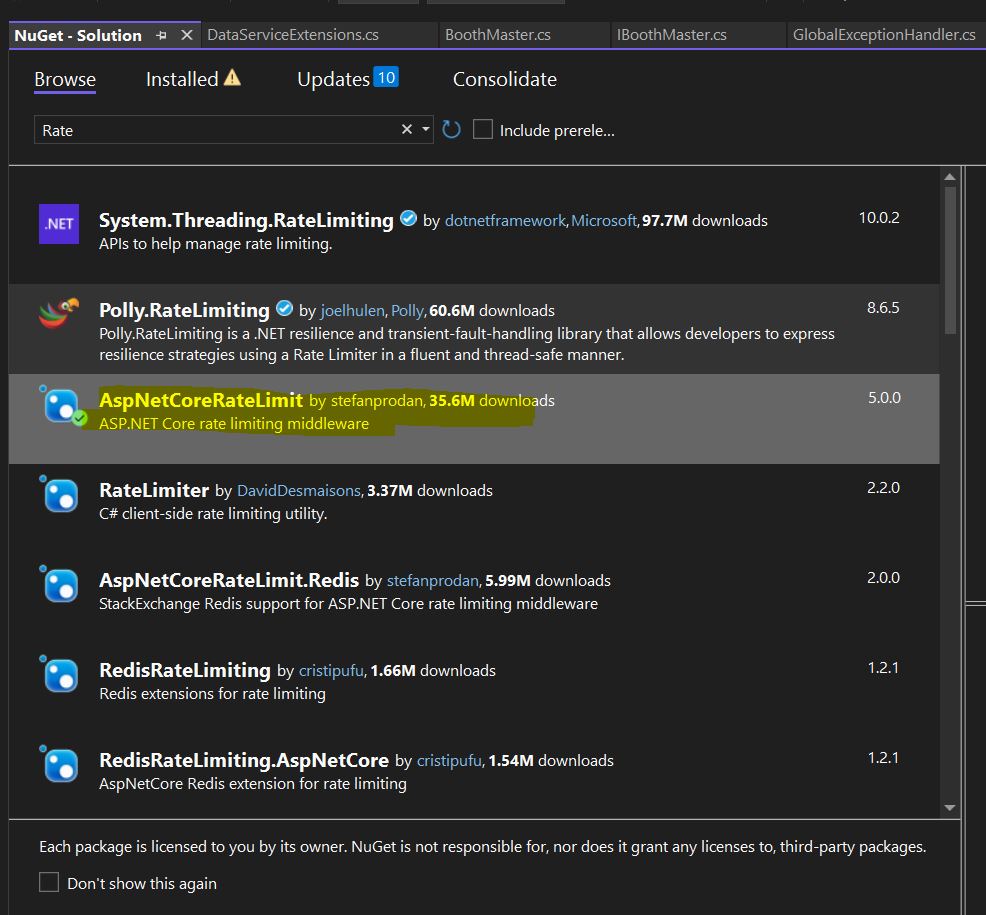
Install the AspNetCoreRateLimit package from nuget package manager as shown in below image.
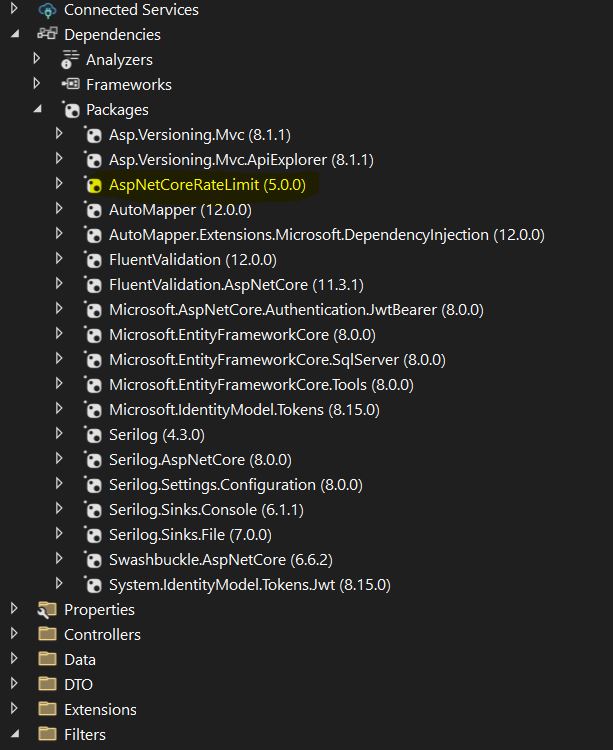
After installing the packages your solution explorer will be looks like as below image.
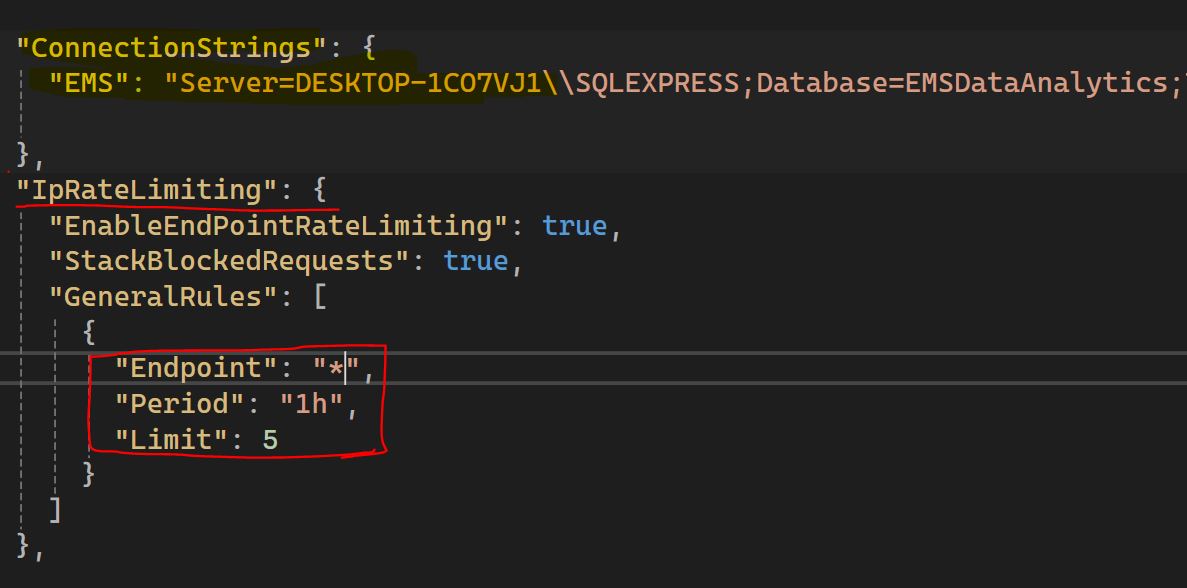
Now add IpRateLimiting Configuration details in appsettings.json file as shown in below code and image.
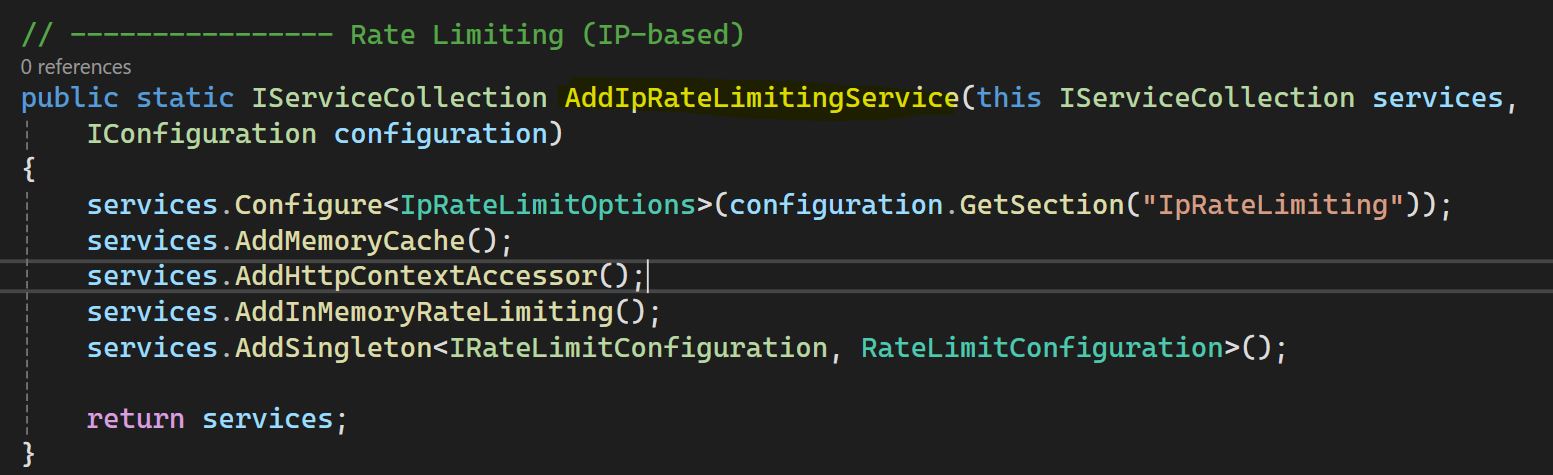
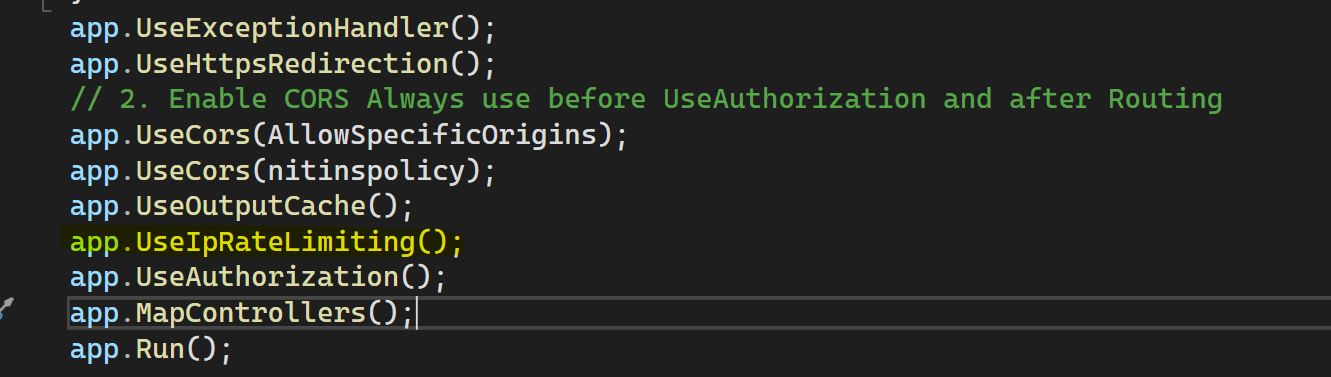
Now add AddIpRateLimitingService and MiddileLayers into Program.cs file as shown in below code and image.
Now run the API and hit one of the End Points more than 5 times , it will return a response code 429 with default message "API Calls Quota exceeded!Maximum attempted 5 per 1h". In the below image you can see the output response from API called more than 5 times, this is the default response message we can customised the response message based on our requirements.
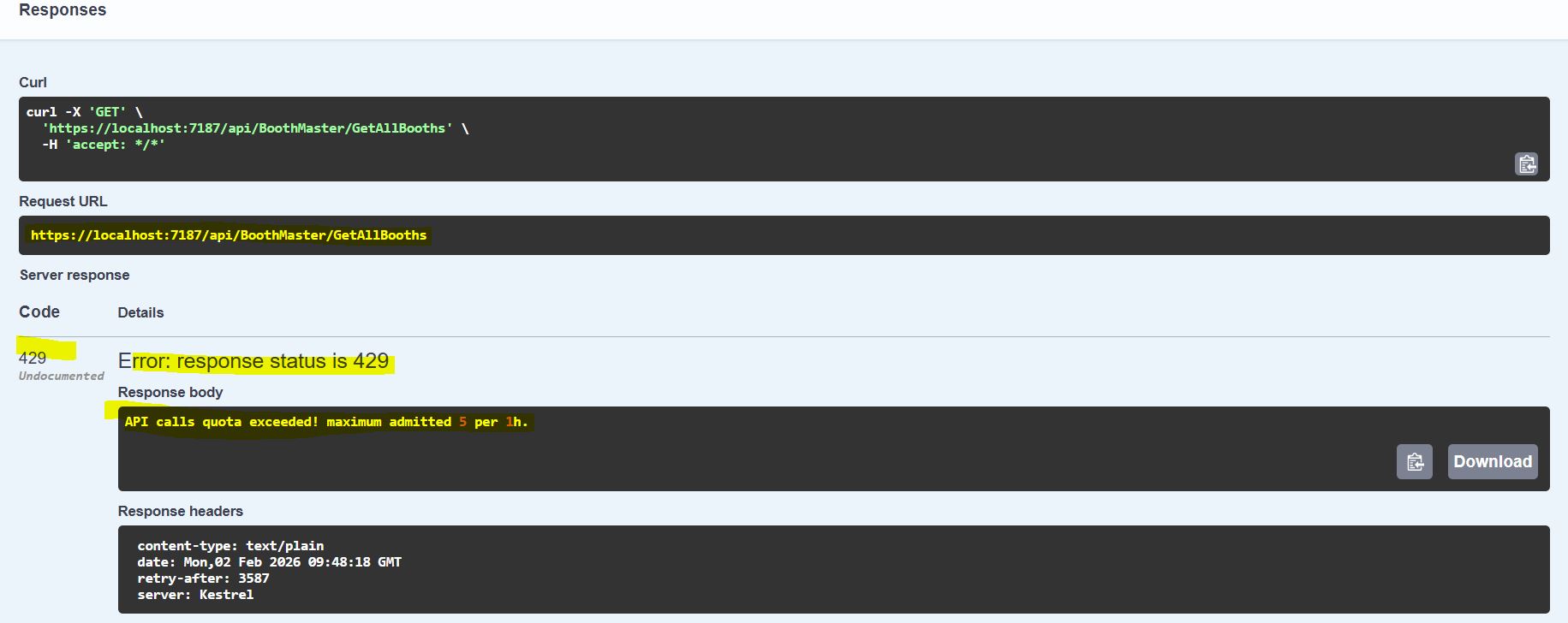
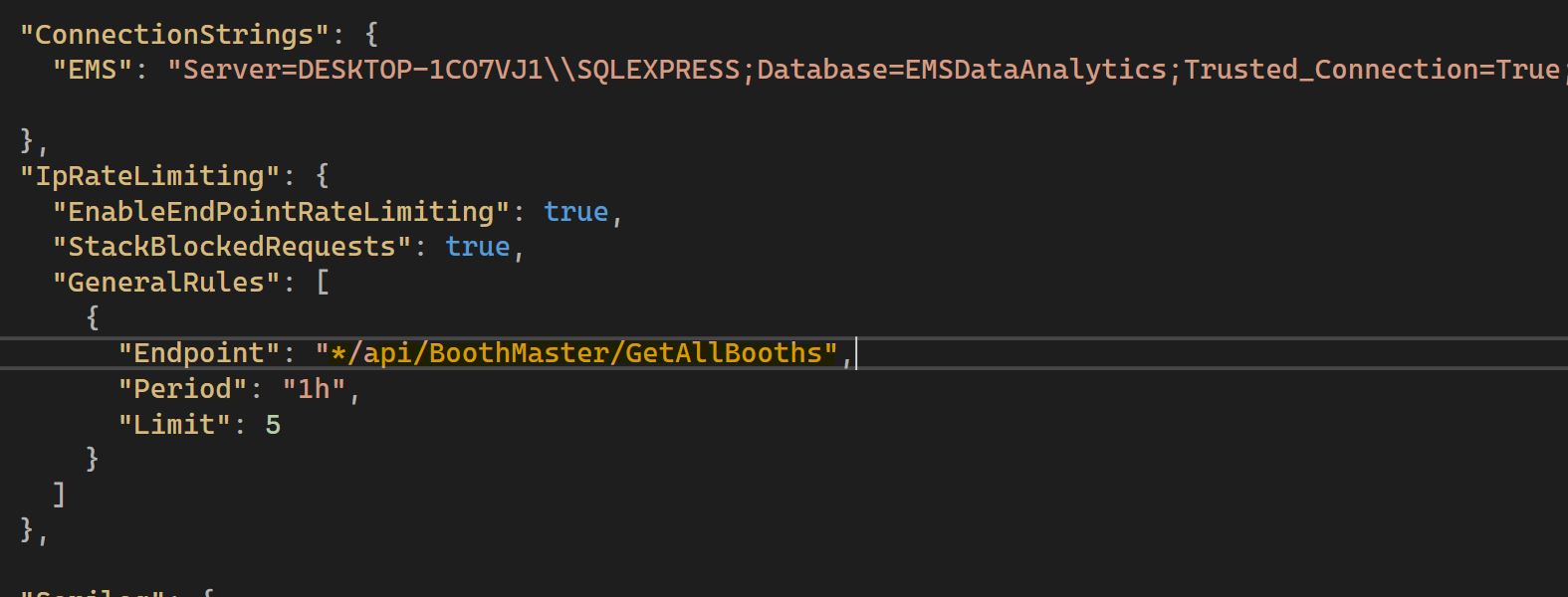
In the above result , maximum limit is set for all the resourses/endpoints , if you want to set restriction limit on specific endpoints then you need to configure that end points in appsettings.json file as you can see in below image. If you want to set on "/api/BoothMaster/GetAllBooths" this endpoint then our appsettings.json file looks like