How to Write NUnit Test Cases for Model Validation
Model validation is a very important aspect of any application, because sending or receiving data that is not validated, or does not meet the expected standards, leads to data corruption in the database. For model validation we use DataAnnotations in model classes and display error messages to end users based on them, but this code is not tested. We need to write test cases that verify the behaviour of the model classes with correct and incorrect data. Here we use the NUnit framework to write the test cases; below is the step-by-step implementation of the test methods.
Create an ASP.NET Core MVC project and add an NUnit test project to the solution, as shown in the image below.
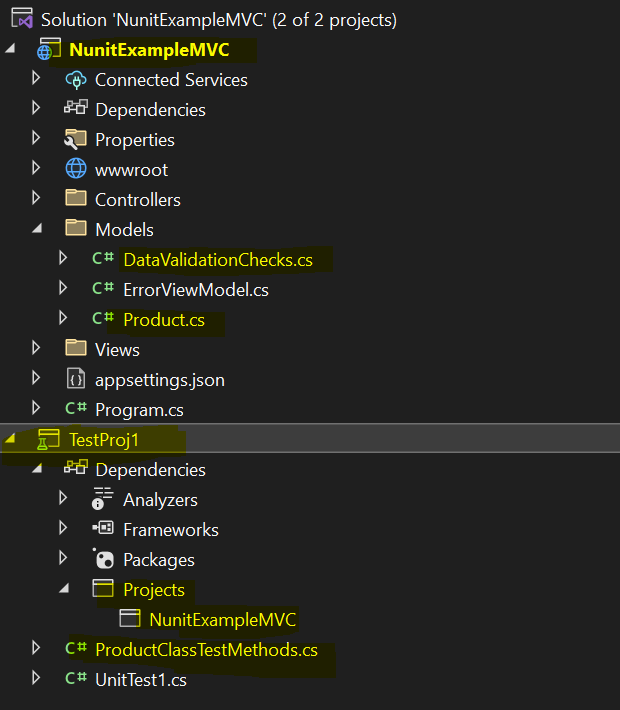
As shown in the image above, I created an ASP.NET Core MVC project named NunitExampleMVC and added an NUnit test project named TestProj1. In the MVC project's Models folder, I created a Product model class and defined its properties with DataAnnotations. I also created a class for validation checks, named DataValidationChecks, and wrote some custom code in it.
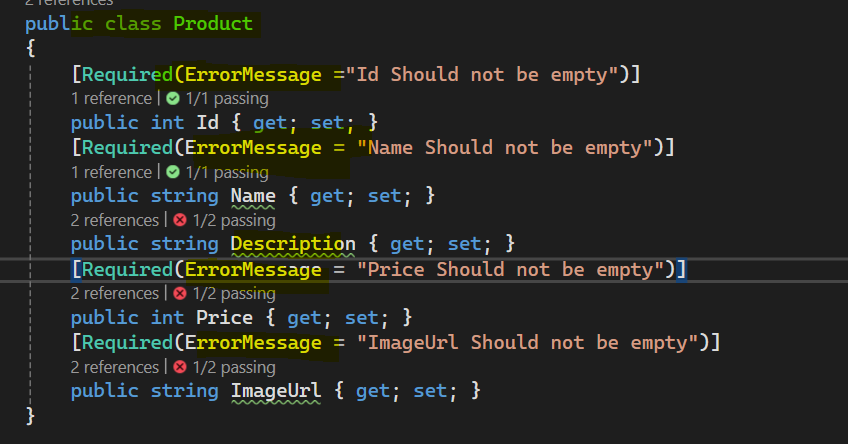
Create a Product model class, as shown in the image and code below.
public class Product
  {
      [Required(ErrorMessage ="Id Should not be empty")]
      public int Id { get; set; }
      [Required(ErrorMessage = "Name Should not be empty")]
      public string Name { get; set; }
      public string Description { get; set; }
      [Required(ErrorMessage = "Price Should not be empty")]
      public int Price { get; set; }
      [Required(ErrorMessage = "ImageUrl Should not be empty")]
      public string ImageUrl { get; set; }
  }
Create a custom class for validation checks and write a method in it, as shown in the image and code below.
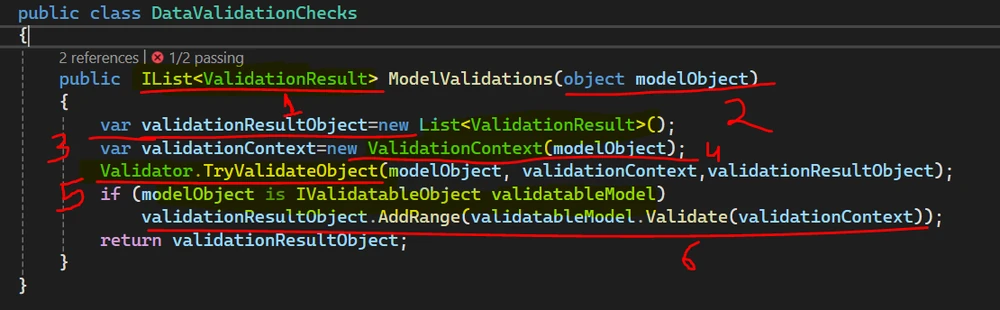
In the code below, I created a class named DataValidationChecks with a method, ModelValidations, that takes an object as a parameter and returns an IList of ValidationResult, a built-in class in System.ComponentModel.DataAnnotations. Then I created a ValidationContext object and passed the model object to it. I used the Validator.TryValidateObject() method for the validation, checked the result in an if condition, and returned the IList of ValidationResult.
public class DataValidationChecks
{
 public  IList<ValidationResult>
     ModelValidations(object modelObject)
    {
    var validationResultObject=
    new List<ValidationResult>();
    var validationContext = new
    ValidationContext(modelObject);
   Validator.TryValidateObject(modelObject,
  validationContext,validationResultObject);
  if (modelObject is
  IValidatableObject validatableModel)
  validationResultObject.AddRange
  (validatableModel.Validate(validationContext));
  return validationResultObject;
    }
}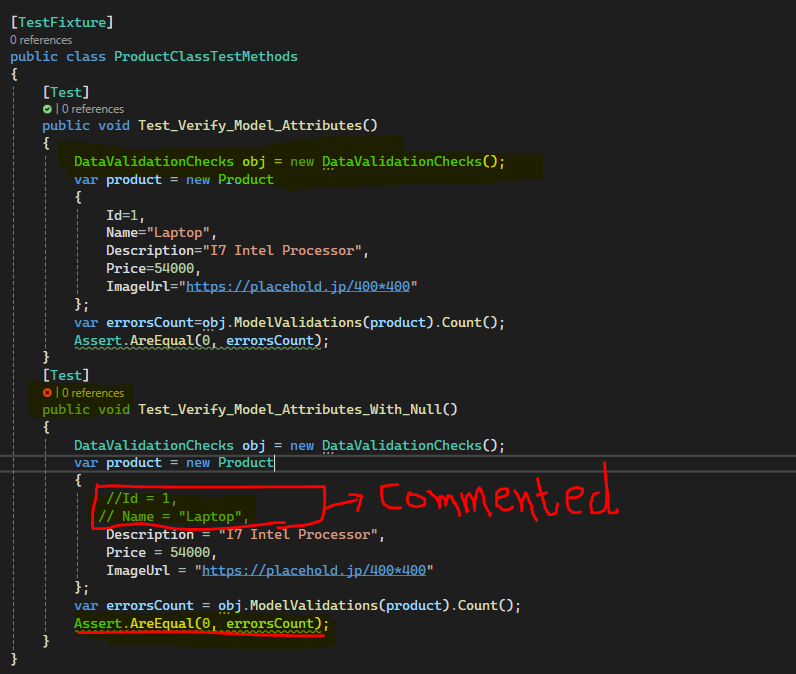
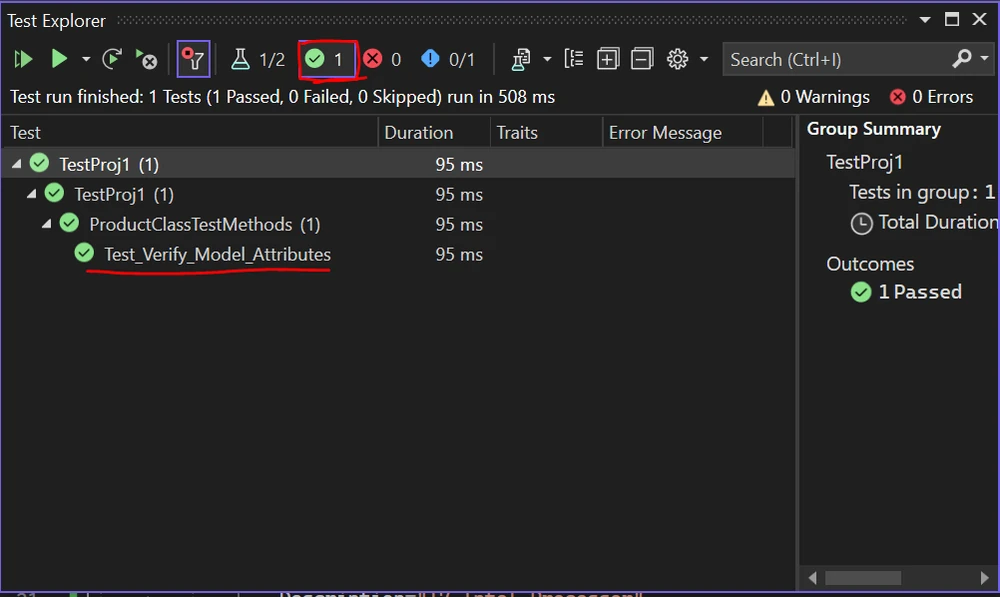
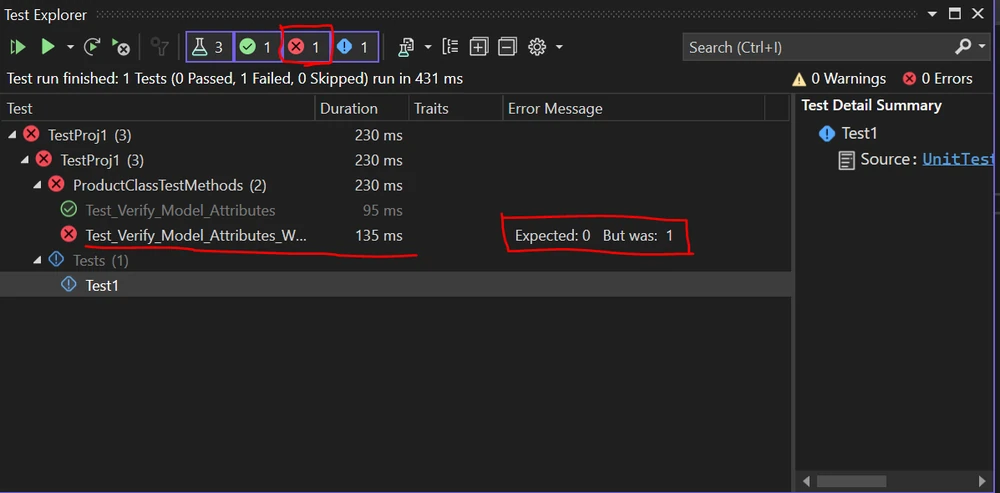
For the test cases, I used two scenarios, one with correct input data for the model class and one with incorrect data, and wrote two separate methods for them, as shown in the code below. The Test_Verify_Model_Attributes() method checks correct data, and the test passes. In the Test_Verify_Model_Attributes_With_Null() method, I assign null values to required fields, so validation errors are generated and, based on the error count, the test fails, as shown in the two images below.
[TestFixture]
   public class ProductClassTestMethods
   {
       [Test]
       public void Test_Verify_Model_Attributes()
       {
           DataValidationChecks obj = new DataValidationChecks();
           var product = new Product
           {
               Id=1,
               Name="Laptop",
               Description="I7 Intel Processor",
               Price=54000,
               ImageUrl="https://placehold.jp/400*400"
           };
           var errorsCount=obj.ModelValidations(product).Count();
           Assert.AreEqual(0, errorsCount);
       }
       [Test]
       public void Test_Verify_Model_Attributes_With_Null()
       {
           DataValidationChecks obj = new DataValidationChecks();
           var product = new Product
           {
               //Id = 1,
              // Name = "Laptop",
               Description = "I7 Intel Processor",
               Price = 54000,
               ImageUrl = "https://placehold.jp/400*400"
           };
           var errorsCount = obj.ModelValidations(product).Count();
           Assert.AreEqual(0, errorsCount);
       }
   }