ViewData in ASP.NET Core
ViewData: ViewData is a property of the Controller class, used to send data from a controller to a view. It is a dictionary of key-value pairs: the key is the name of the ViewData entry, and the value is the data stored in it. A controller may have many action methods, but ViewData only sends data to the view of the action method where it is set.
ViewData has no compile-time error checking, because its values are stored as object and their types are only known at run time. Values need typecasting when they are read; strings can be written to the page without a cast, but other types must be cast.
Note: ViewData can only send data from a controller to a view; it cannot send data from a view to a controller. After a redirect, ViewData is always null; it is valid only for the current HTTP request.
How to Pass and Retrieve Data with ViewData in ASP.NET Core
public class TestController : Controller
{   private readonly AppDbContext db;
    public TestController(AppDbContext _db)
    {
      db = _db;
    }
    public IActionResult ViewDataExample()
    {
      var dropdownItems = db.tblCountries.ToList();
      ViewData["Topictitle"] = "ViewData Example";
      iewData["TotalRecordsCount"] = dropdownItems.Count;
      ViewData["Country"] = new SelectList
      (dropdownItems, "CountryId", "CountryName");
      return View();
    }
}
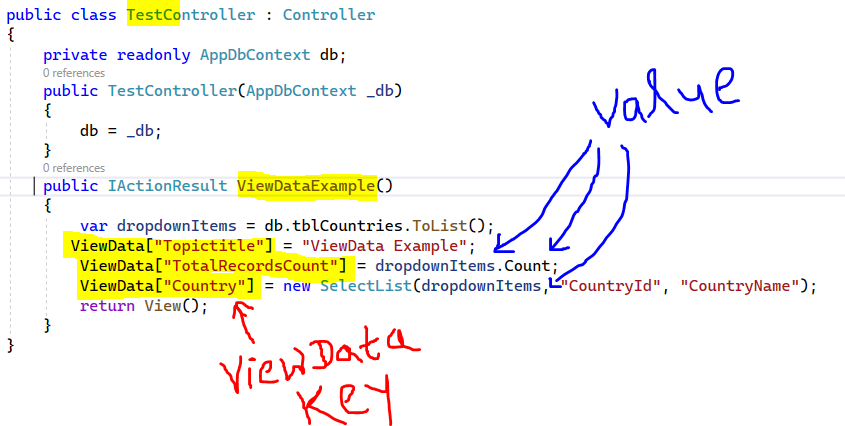
In the screenshot above, I created a TestController with a ViewDataExample action method. In this method, I fetch the country records from the tblCountries table in the SQL database and assign them to a variable. Then I store this data in a ViewData key, Country. I also created two more ViewData keys: Topictitle, which stores the topic title, and TotalRecordsCount, which stores the number of records in the drop-down list. Now create a view for the ViewDataExample method, as shown in the image below.
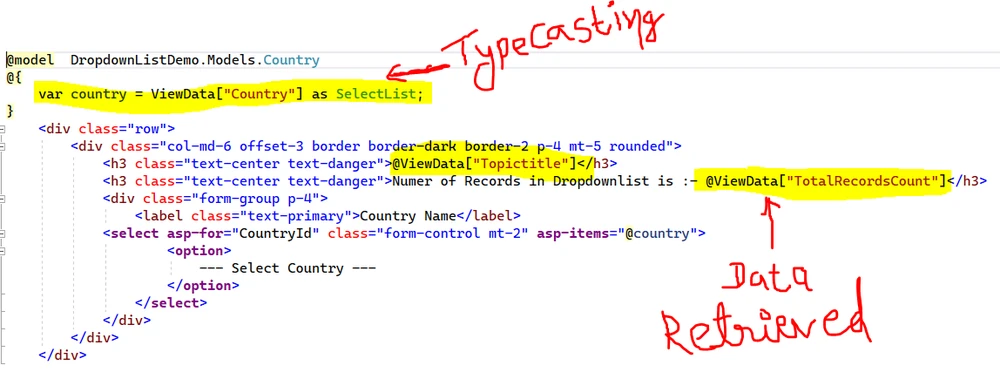
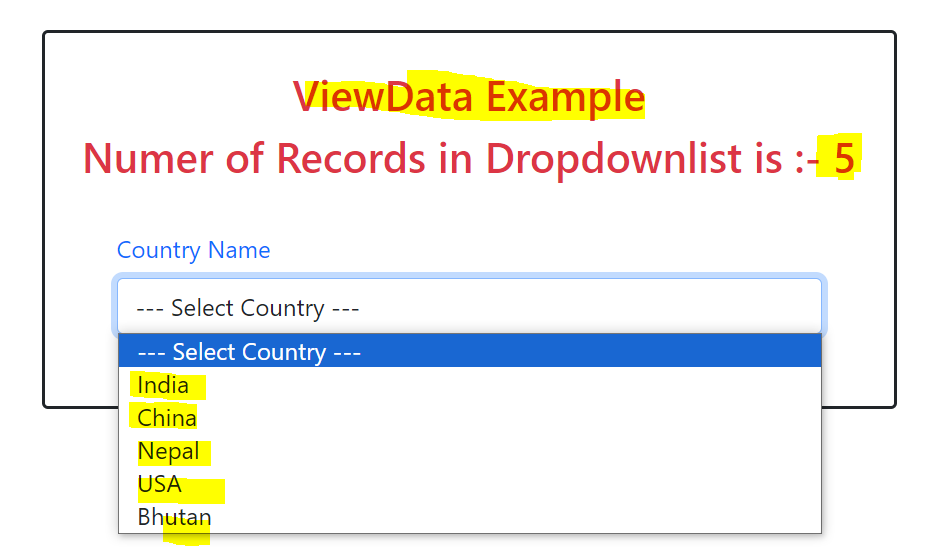
In the screenshot above, I read the ViewData values and used them in the heading tag. To read the values, I used ViewData["Topictitle"], ViewData["TotalRecordsCount"] and "var country = ViewData["Country"] as SelectList;" casting the value to SelectList. With ViewData, values need typecasting depending on whether they hold a string or a complex type such as a list or an object. Run the application, and you can see the final output in the image below.
When to use ViewData
- Use it when you need to send a small amount of data from a controller to a view.
- Use it when you need to display error messages or notifications in a view.
- Use it to send dynamically created data that is not part of the model class, when typecasting is acceptable.
- When the data is loosely coupled to the view model.
- When the data is not critical, because errors can cause problems.
Advantages of ViewData in ASP.NET Core
- Because ViewData is a dictionary, you don't need to define a model for a small amount of data, which reduces coding effort.
- It is easy to implement, and data is easy to read using keys.
- We can store any kind of data in it, so it is flexible in many cases.
- It is good for applications that don't need many models.
Disadvantages of ViewData in ASP.NET Core
- It is limited to the current HTTP request; after a redirect, the values are null.
- There is no compile-time error checking, so it leads to run-time errors that are difficult to debug.
- There is no IntelliSense support, so development is slower and errors are more likely.
- Casting values at run time adds a small performance overhead.
- It is not suitable for complex data structures that need more manipulation and operations.
- There is a high risk of NullReferenceException.